
From fully managed to self-serve: Scaling a support agent
THE ASK
Atlassian acquired a virtual service agent startup built on a fully managed service model — where a dedicated team handled everything on the customer's behalf.
The goal is to integrate it into Jira Service Management (Atlassian's IT service management product) and scale it into a feature where teams could use on their own.
RESULTS
Multi-channel expansion
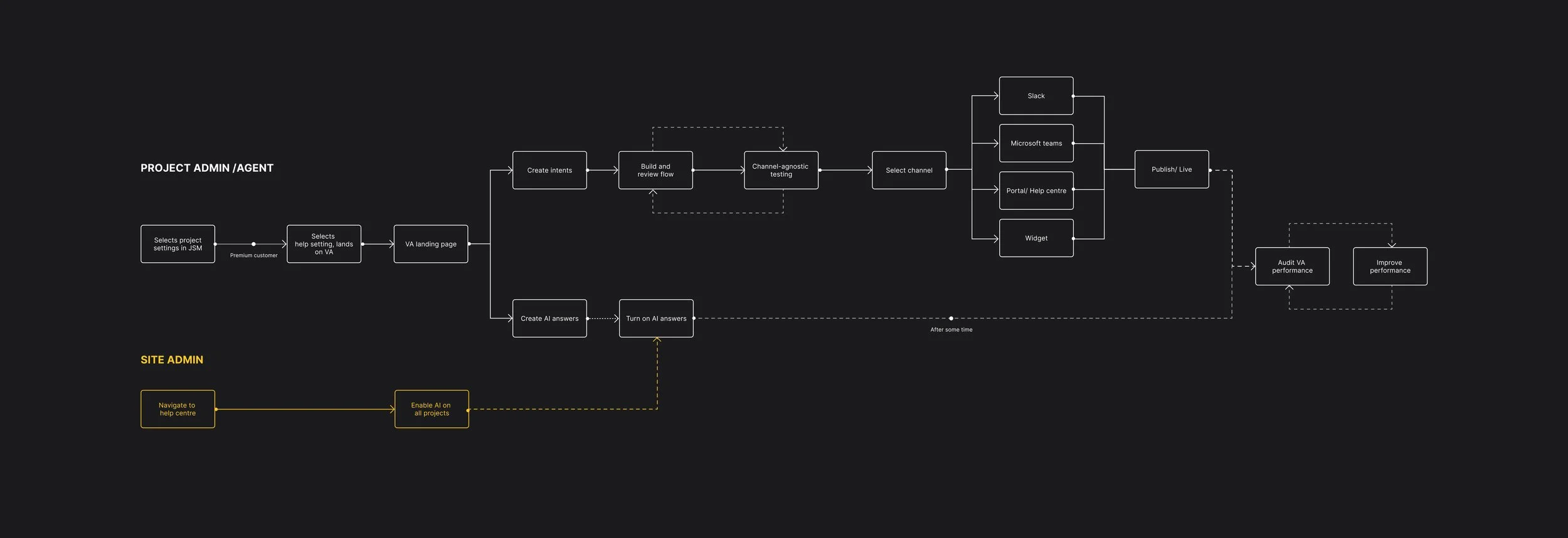
The virtual service agent started in Slack and expanded to MS Teams, the help centre, portal, and an embeddable widget.
Moved with the market
Successfully evolved the virtual service agent to match a market and behaviour shift towards generative AI.
INTRODUCING
The Virtual Service Agent
The Virtual Service Agent (VSA) is a chat-based automation tool built into Jira Service Management. It helps customers get answers instantly and gives project admins a way to reduce support tickets without having to scale their team.
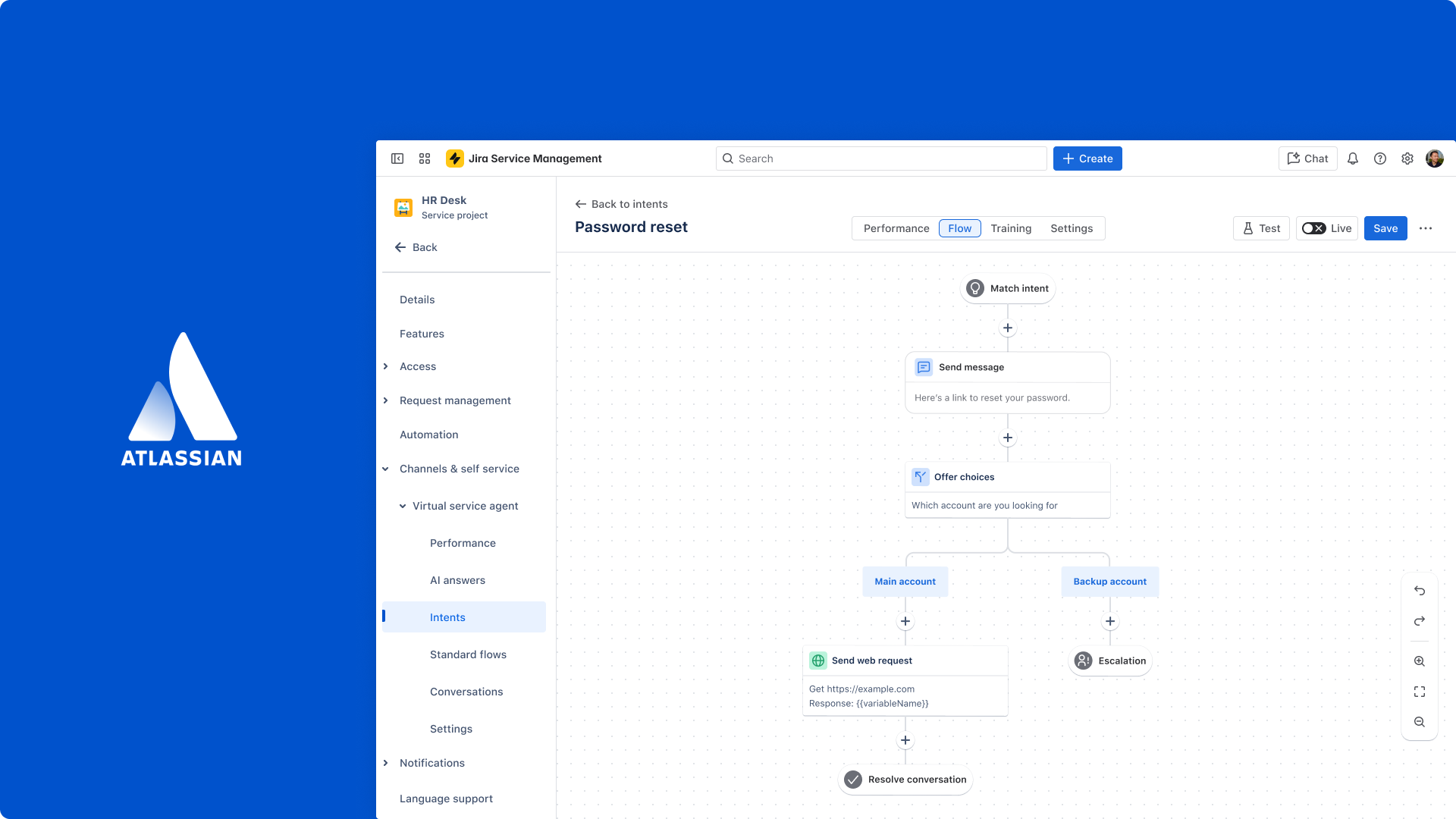
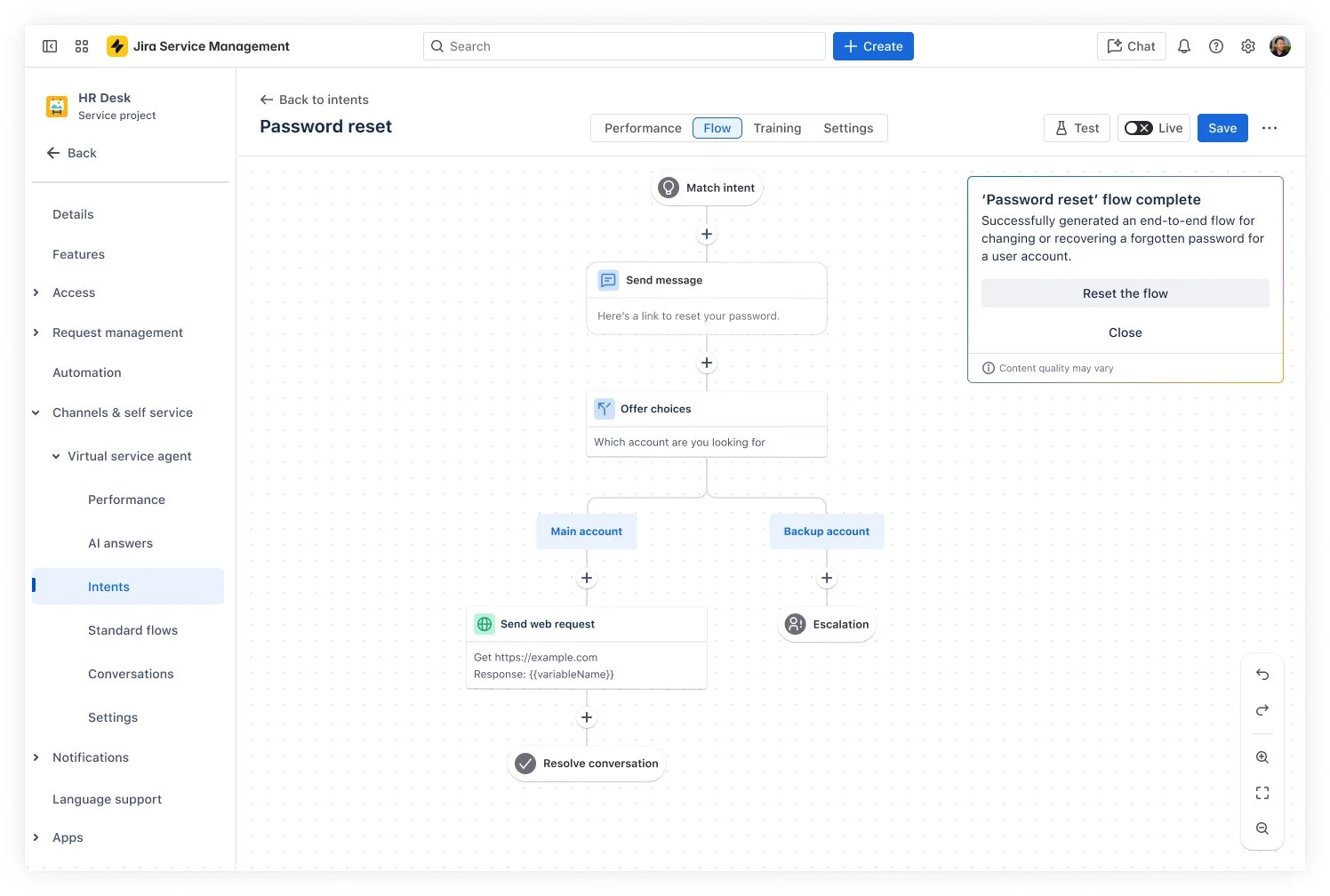
To set up the VSA, project admins create intents with pre-set responses to common questions, such as 'how do I reset my password?', and build out a conversation flow. When a customer asks that question, the VSA recognises it and responds automatically, deflecting the ticket before it ever reaches a human. Admins can identify common questions and customise the conversation flow.
THE PROBLEM
A done-for-you model doesn't transfer on its own
The acquisition product came with a dedicated team that handled everything behind the scenes, monitoring performance, refining conversation flows, and improving the virtual service agent over time. With the self-serve model, all of that work lands on the project admin, who has no guidance, no guardrails, and no way to know if the virtual service agent is performing the way they intended.
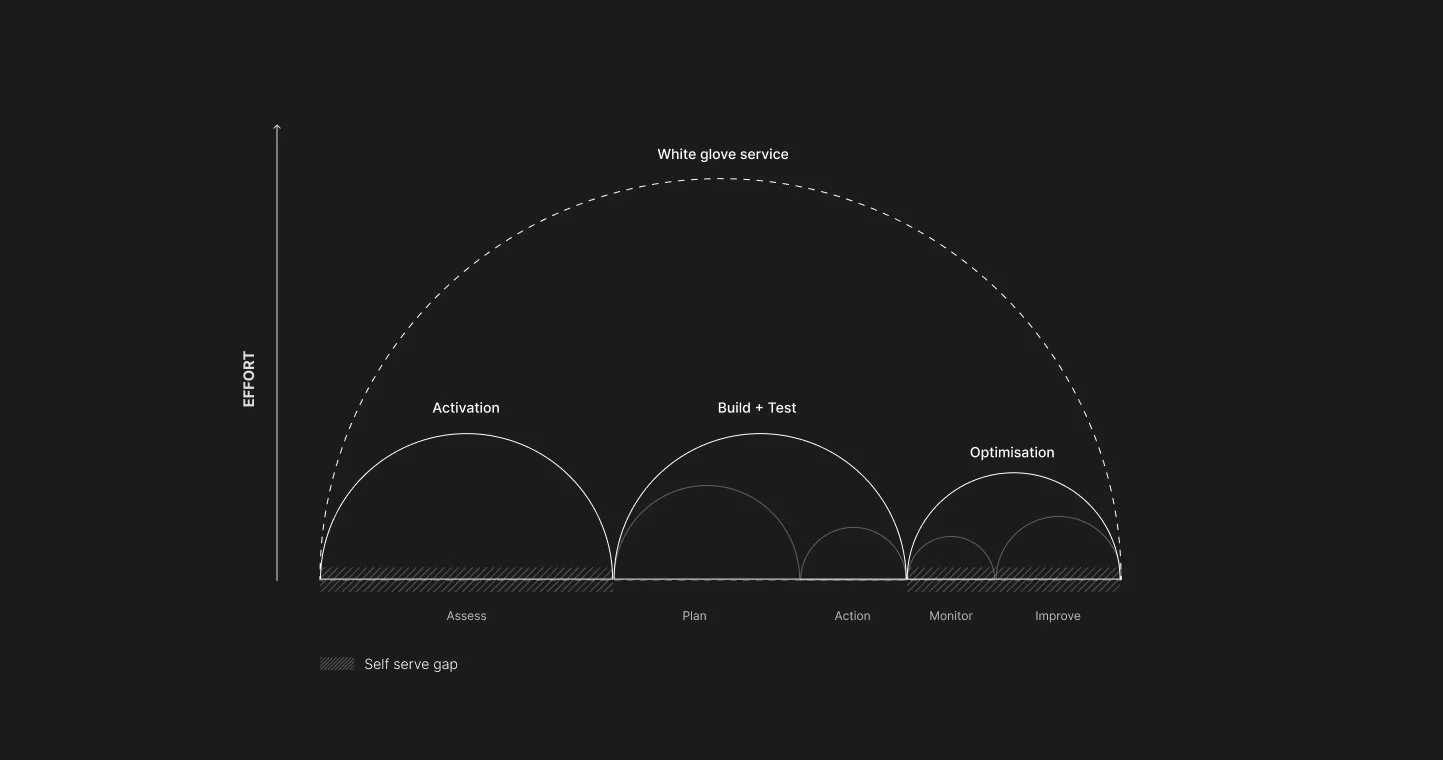
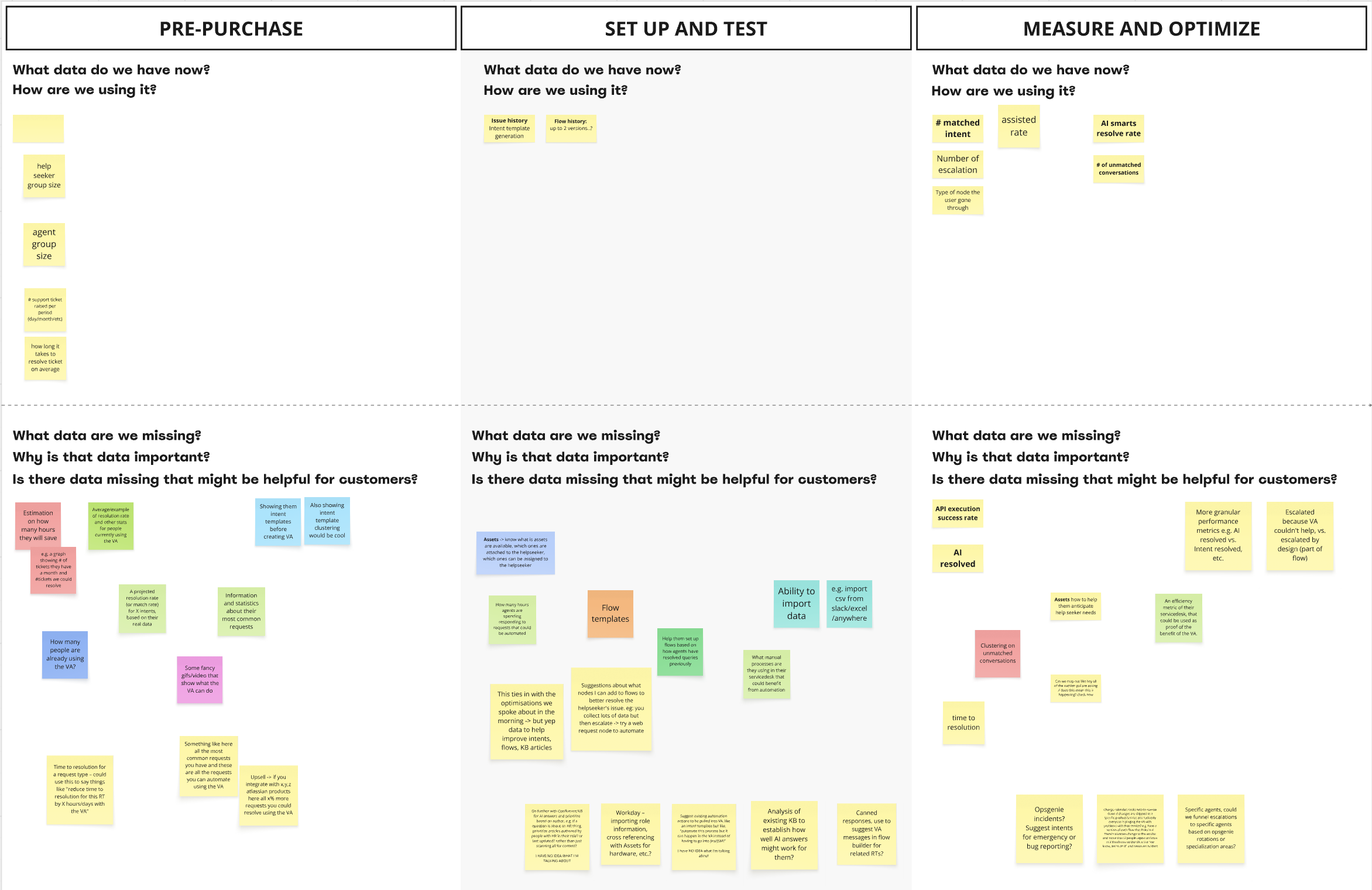
Diagram of identified self-service gaps
Our approach
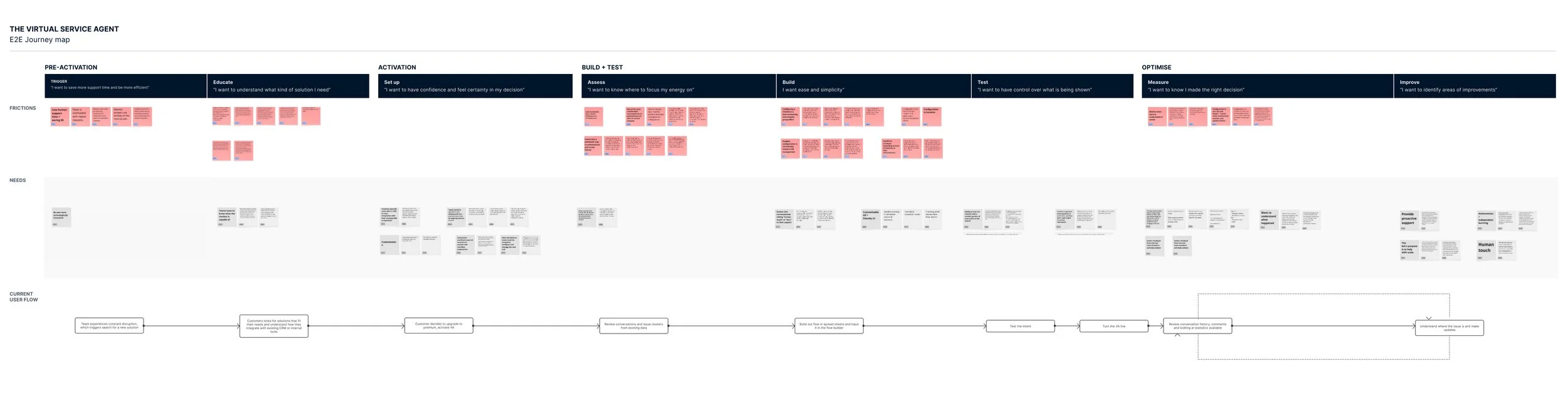
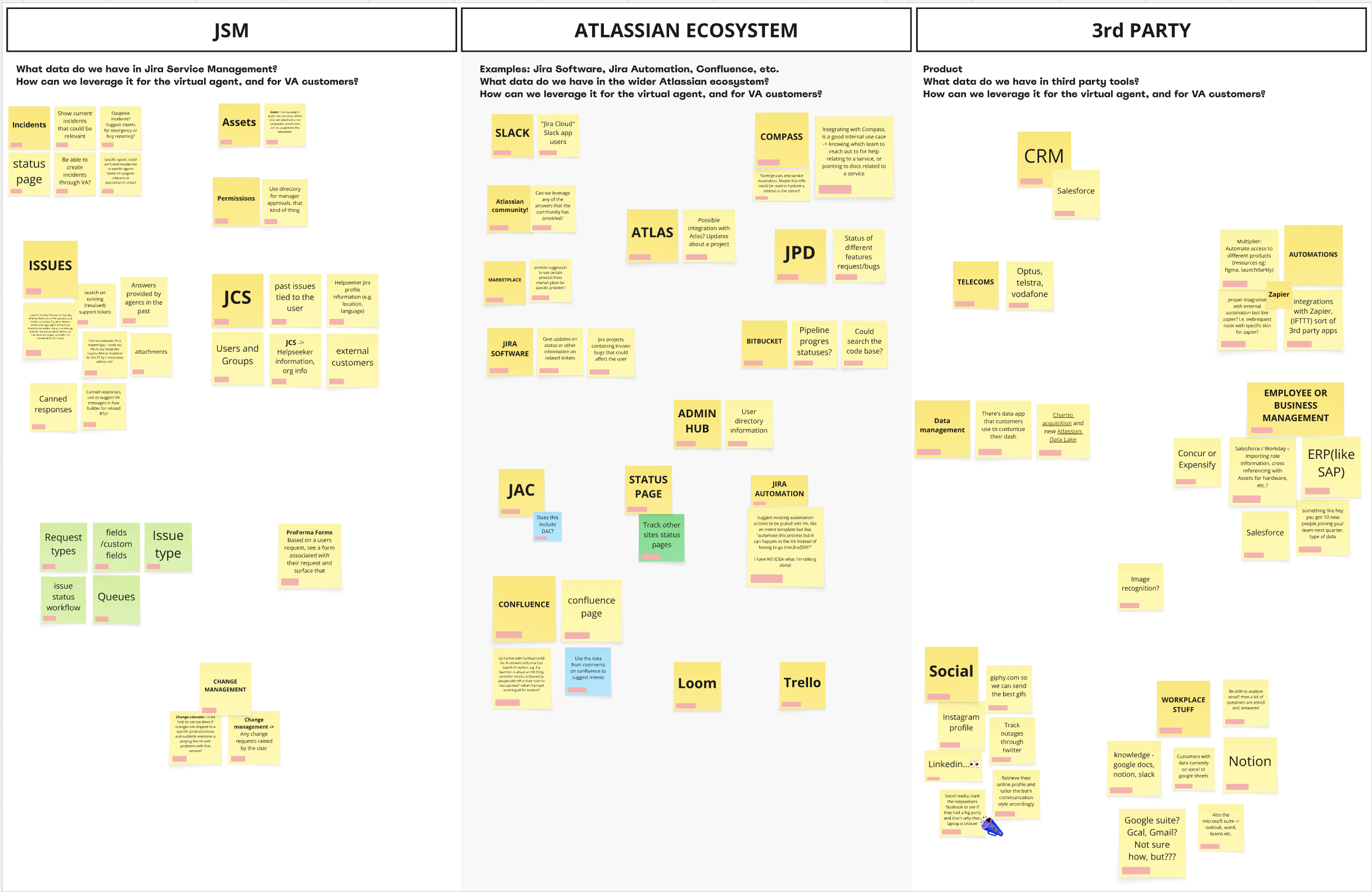
Qualitative and market research gave us a clear picture of the current state. I ran a cross-functional ideation workshop, drawing on the team's product expertise and existing research to explore how the virtual service agent could deliver more value beyond IT teams, while staying grounded in what was technically feasible.
PHASE 01
Making it easier to get started
Early on, we rebuilt the VSA’s core capabilities, but a gap quickly emerged. Admins were handed a blank form with no guidance on where to start. The VSA is only as good as what does in.
Following a data mapping workshop, I initiated a feasibility experiment with a machine learning engineer to explore whether we could cluster existing support ticket data into themes. The goal was to give project admins a starting points with ready-made templates.
Creating an intent discovery library
Our intent discovery library gives project admins a running start. Personalised templates generated from their own data history ensure the virtual service agent is trained on real questions from their own help seekers. For those with no project history, generic templates fill the gap.
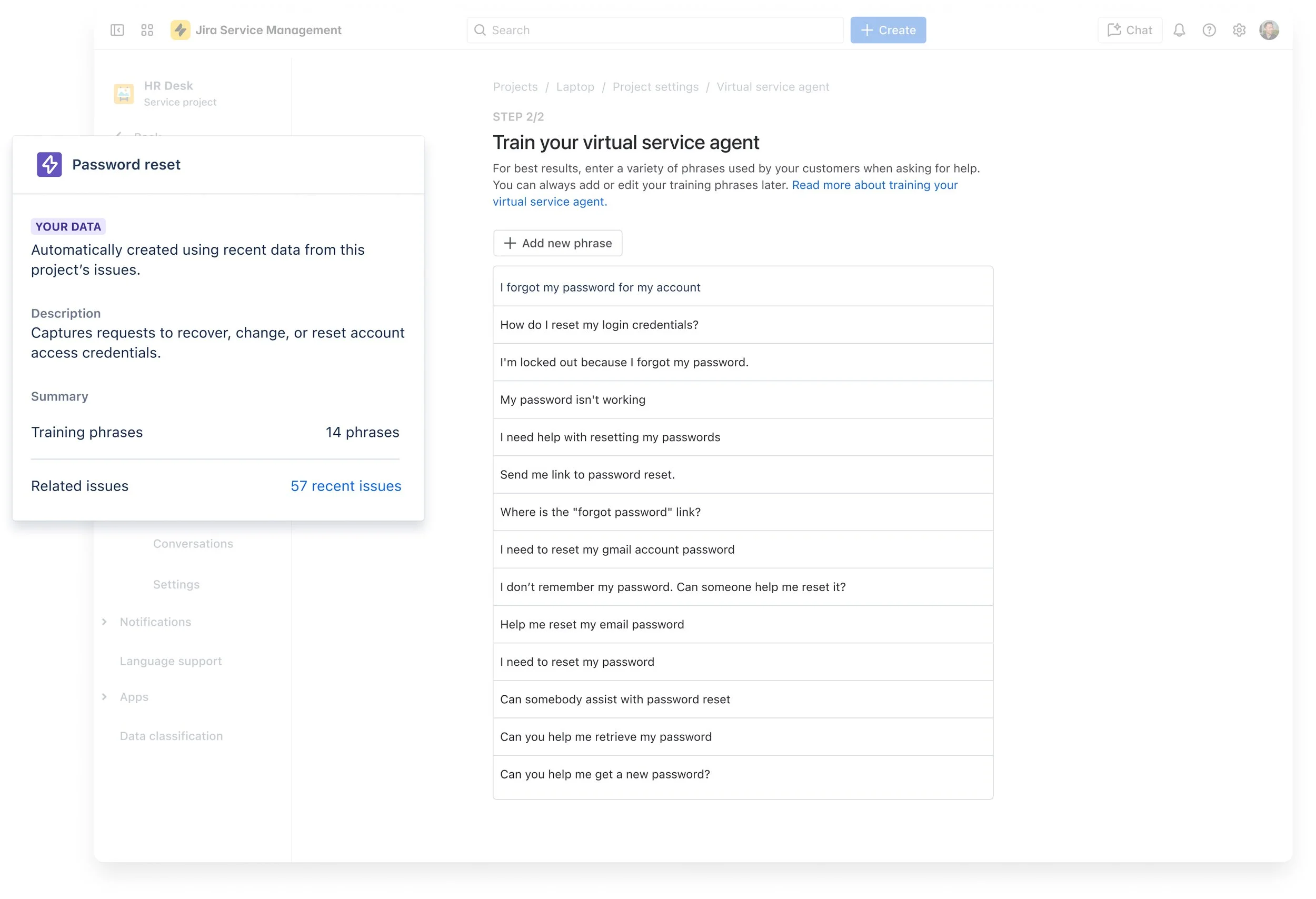
Intent discovery template with training phrases
PHASE 02: Utilising new AI tools
The world changed. So did we
A few months into the build, ChatGPT launched. Overnight, our manual-first approach felt outdated. Why are we asking project admins to hand-build every conversation flow when generative AI can do the heavy lifting? We had to pivot.
We introduced AI Answers, a new capability that searches customer’s existing knowledge base bank and uses generative AI to respond to customer questions instantly. The VSA now has two capabilities:
Intents: high-control, manually curated responses
AI Answers: fast to set up, knowledge-base-driven responses
This changed two fundamental experiences. How project admins set the VSA up, and how help seekers get help. We had to make the distinction between the two modes clear without adding complexity with the goal of defining a new routing logic to resolve as many help seeker queries as possible before reaching a human.
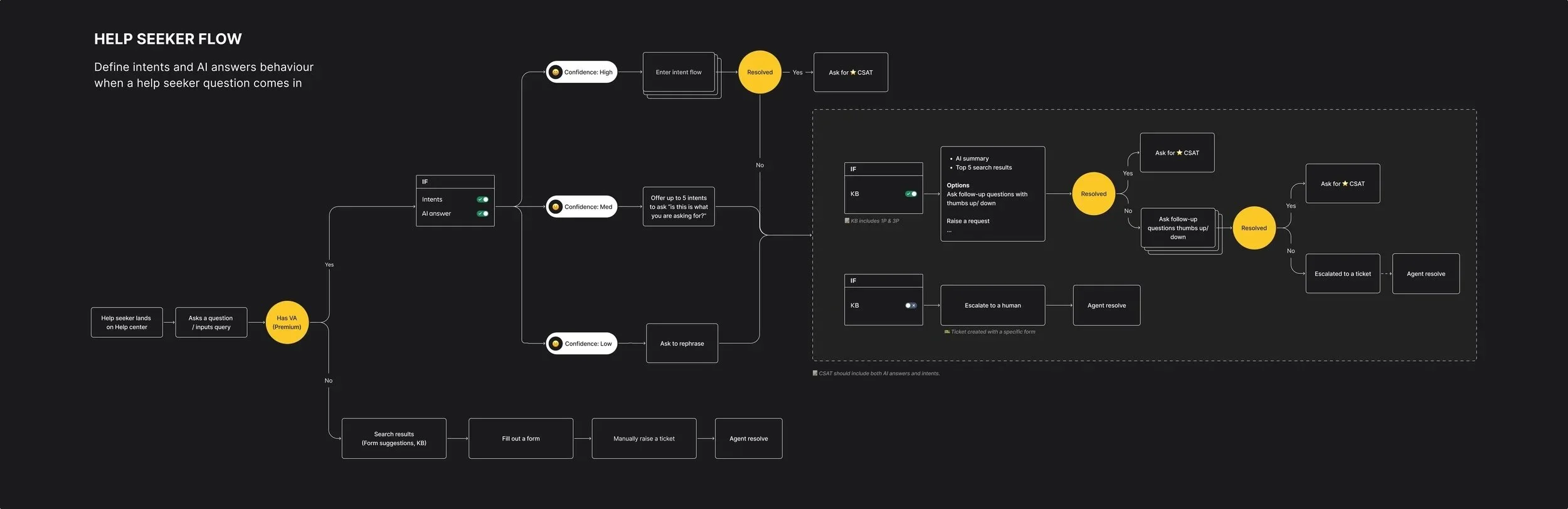
From architect to approver
We redesigned the intent creation experience around a single idea. Project admins should be able to review, refine, and launch without having to build the conversation flows from scratch with the help of AI.
We moved from a static template library with just training phrases to an end-to-end flow where admins can create, test, and deploy with minimal friction. Conversation flows and suggested responses are now auto-generated. And before going live, admins can test their VSA directly in the product.
Intent templates with build-in conversation flow and training phrases for the VSA
Integrated in-product testing and "Chat and Build" capabilities that allows projects admins to test before going live.
PHASE 03: IMPROVE THE OPTIMISATION PHASE
Analytics that drive action, not just awareness
At launch, admins had four static numbers and a conversation log. It told them what happened, not what to do about it. Without clearer signals, project admins were back to manually combing through conversations to find problems.
With the goal of shifting admins from passive observers to confident decision makers, I established a design framework to shift admins from passive observers to confident decision makers.
Each component was built around three principles
Set context: detect patterns in VSA activity so admins understand what is happening
Provide guidance: surface what needs fixing first so admins know where to focus
Enable action: link admins directly to the fix so nothing gets lost between insight and solution
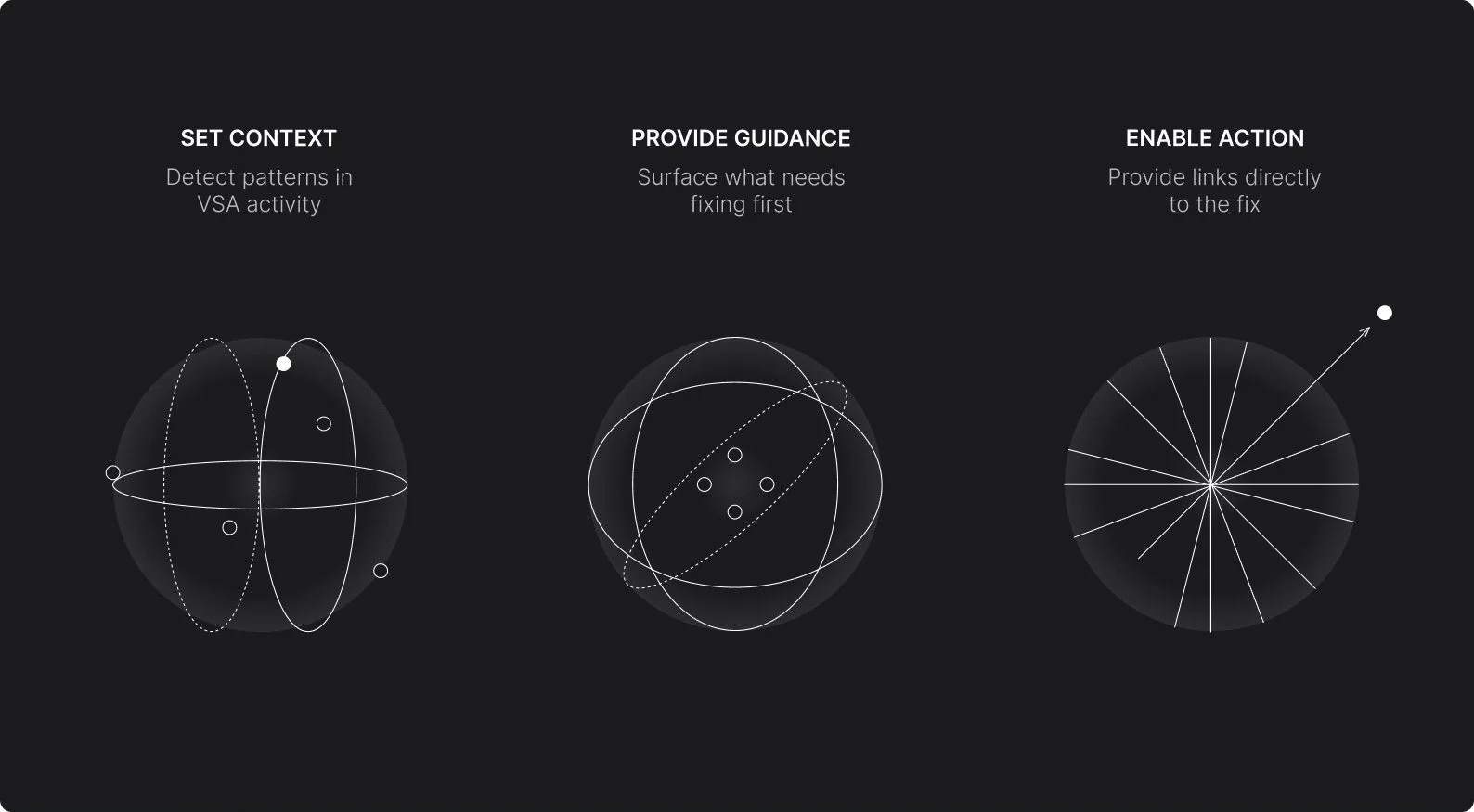
Analytics design principles
Principles into practice
Reduce unanswered conversation component: 1. Set context 2. Provide guidance 3. Enable action
Reduce unanswered conversations component
Instead of leaving admins to comb through conversation logs, the agent surfaces unanswered question clusters in order of priority. Admins can use this insight to act directly — either by creating an intent or a a knowledge base article.
Overall performance components
The redesign added small inline trend charts to show movement over time, pattern detection to surface what's changing, and direct prompts to act. Same data — completely different signal.
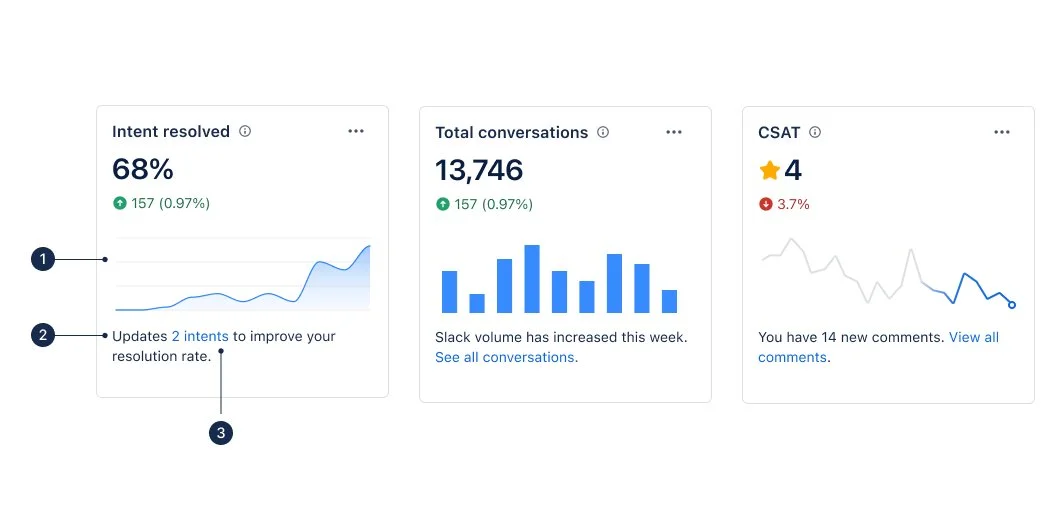
Examples of overall performance components: 1. Set context 2. Provide guidance 3. Enable action
Conversation flow’s funnel analysis
Not every conversation follows the path you designed. The statistics surfaces where customers drop off or ask something unexpected — revealing gaps between what admins built and what users actually need. Fix the drop-off, improve the flow.
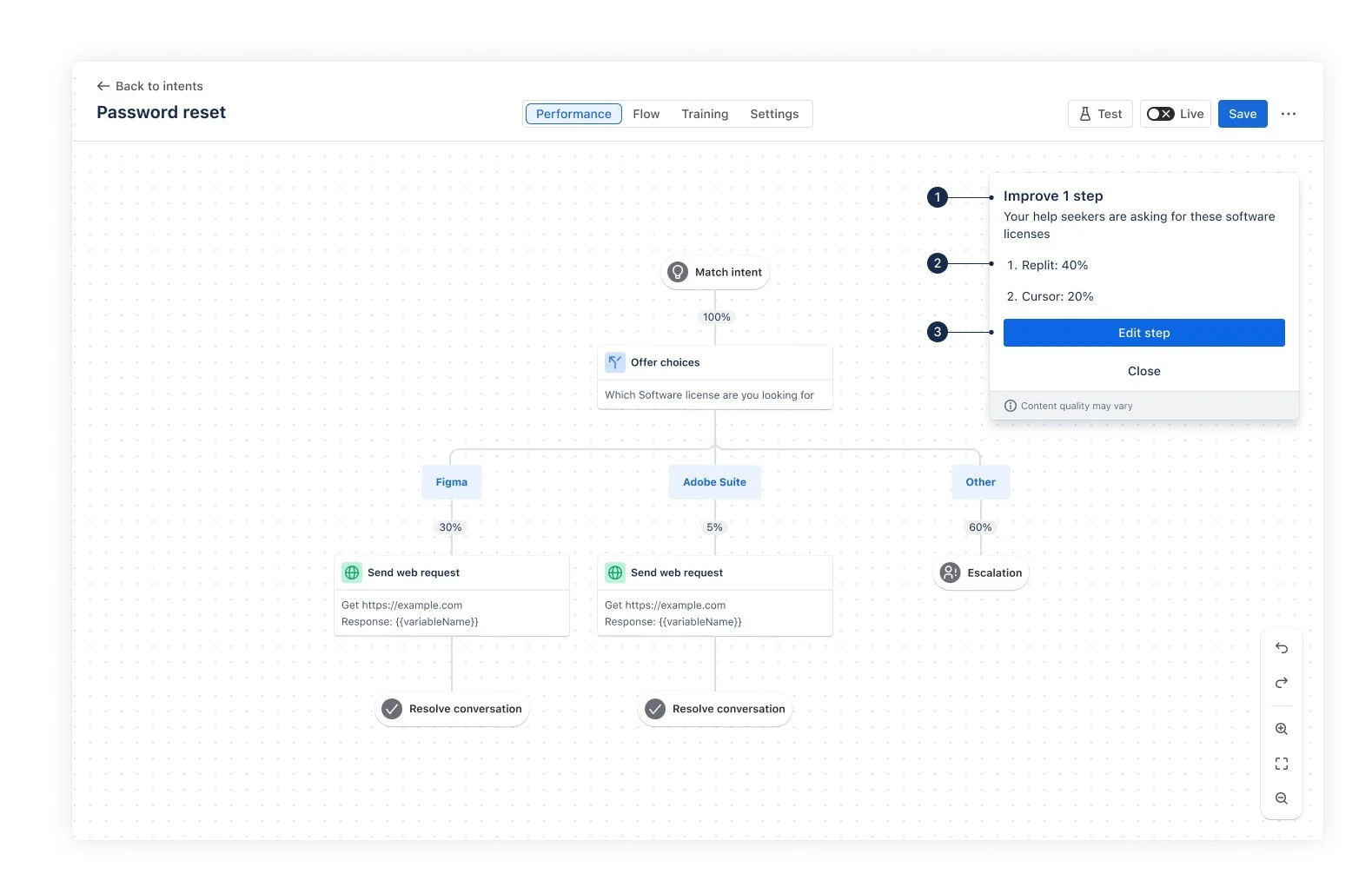
Funnel analysis: 1. Set context 2. Provide guidance 3. Enable action